Upland BlueVenn's Omnichannel Marketing Hub, Engage, provides powerful analysis tools to review your Engage data, understand your customer behavior, and begin planning your marketing campaigns. These tools are located within the Analysis menu.
Click the chart icon in the navigation pane to expand the analysis menu and view your analysis elements.

To create a new analysis element, click the + icon in the navigation pane and select from the Analysis tools in the Create menu.
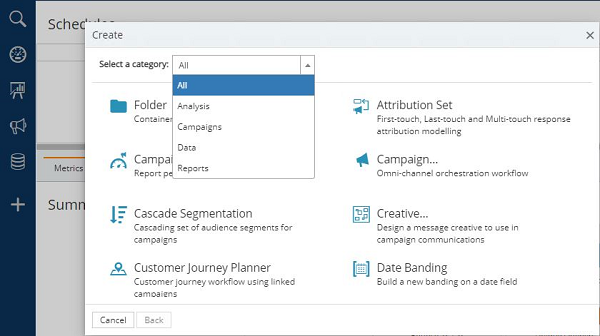
Analysis tools
The Analysis menu contains the following tools and functions:
-
Field Lists are used to collect and display data and to determine which fields are exported from Campaigns.
-
Expressions create data that you do not have but for which you do have the source data, e.g. calculate a person's age using the date of birth field. Expressions are dynamically recalculated on use to reflect changes in the source data it is based upon.
-
Tags identify sets of individuals for specific marketing purposes.
-
Venn Diagram is used to create graphical representations of the way data interrelates; useful in segmentation of data.
-
Priority Matrix assigns promotions to groups based on eligibility and suitability.
-
Pivots provide a cross-referenced display of grouped data (Bandings).
-
Selections are used to create queries which can be saved and shared containing complex analysis.
-
Nurture Score provides an integer-based score that can be assigned to each record.
-
External Data Imports allows you to import data into Engage which is then matched against records in the database.